
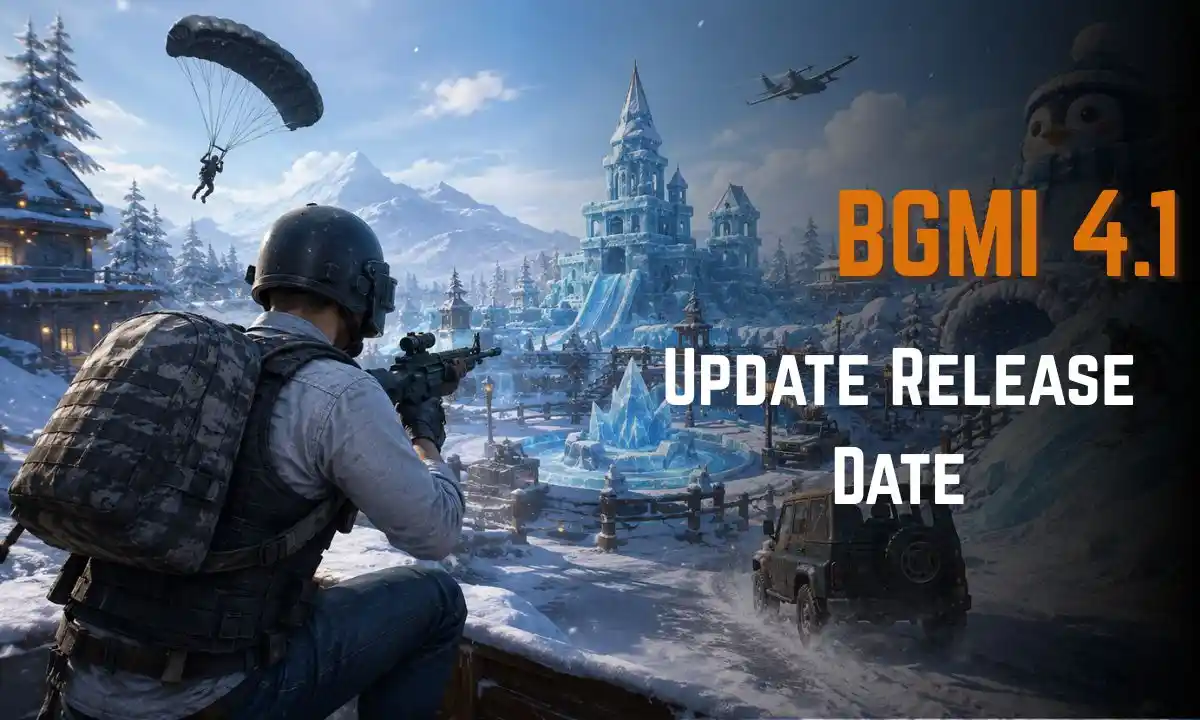
The BGMI 4.1 update was one of the most anticipated updates from KRAFTON in the year 2025. Apart from a brand new winter-themed game mode, the update comes with some fun gameplay elements, graphic upgrades, new rides, special Royale Pass items, and many other improvements which make the Battle Royale game more enjoyable.
If you are waiting for the update or curious about it, this post is just right for you. This article gives you all the details of the BGMI 4.1 update release date, schedule, download size, new additions, patch notes, and installation process. Once you finish reading this post, you will know all there is to know about the update. Check the BGMI 4.1 update release date, rollout time, Frosty Funland theme, new features, download size, A16 Royale Pass, and installation guide.
BGMI 4.1 Update Release Date
The official rollout of the BGMI 4.1 update began on 13 November 2025. Similarly to previous major updates, the rollout was released in stages rather than being made available all at once. Android gamers were able to get the update through the Google Play Store, whereas iPhone gamers got the update slightly later through the Apple App Store.
BGMI 4.1 Update Release Date Overview
| Details | Information |
|---|---|
| Update Version | BGMI 4.1 |
| Official Release Date | 13 November 2025 |
| Developer | KRAFTON India |
| Rollout Type | Phase-wise |
| Platforms | Android & iOS |
| Status | Officially Released |
BGMI 4.1 Update Release Time in India
BGMI 4.1 update launched at varying timings based on platforms. The update launch for Android users was earlier than the update release for iPhone users, and the APK package was rolled out at a later point in the day.
BGMI 4.1 Rollout Time
| Platform | Expected Release Time (IST) |
| Google Play Store | 6:30 AM – 11:30 AM |
| Apple App Store | Around 9:30 AM |
| Official APK | Around 12:30 PM |
Though these were the official timings, there were some variations since the update was launched phase by phase, and some players would get the update in just a few minutes, whereas others would have to wait up to a few hours before getting the update in their respective app stores.
Instead of downloading APK files for the update, players were advised by KRAFTON to wait for the update rollout completion.
BGMI 4.1 Update Overview
| Feature | Details |
| Theme Mode | Frosty Funland |
| Royale Pass | A16 Royale Pass |
| New Winter Gameplay | Yes |
| Ice Gadgets | Available |
| New Vehicles | Introduced |
| Performance Improvements | Included |
| Bug Fixes | Multiple Fixes |
| Graphics Optimization | Improved |
What’s New in BGMI 4.1 Update?
BGMI 4.1 update brought some interesting elements that made playing the game a whole lot more fun compared to older versions. The new update features from a refreshing winter map to unique mobility gadgets, there is a lot of fresh stuff for both casual and professional players.
Here are some of the most interesting features:
- Frosty Funland – winter theme mode
- Unique Ice Gadgets with cool mobility gadgets
- Penguin Town and new locations
- Fresh vehicles
- Gameplay optimization
- Improved graphics
- Other bug fixes
- New rewards for A16 Royale Pass
Ice Gadgets Overview
One of the best new additions in BGMI 4.1 is the inclusion of Ice Gadgets. These gadgets have been included in order to improve the mobility of players and give them an opportunity to exploit their enemies by means of quick moves during combat.
Players can utilize these Ice Gadgets in order to move around the snowy regions quickly or even escape from their enemies’ attacks.
Features of Ice Gadgets
- Movement speed increase
- Increased mobility in fights
- Escape from enemies’ attacks
- Squad rotation
- Tactical gameplay
Penguin Town and Winter Zones
One of the most interesting themed zones available in BGMI 4.1 is the Penguin Town zone. This zone is known for its wintery theme, festive decorations, and lots of loot that can be acquired.
In addition to the Penguin Town zone, there are many other zones that have received a full winter theme change.
Good Points about Penguin Town
- High-level loot
- Winter-themed buildings
- Interactive gameplay elements
- Special events
- Perfect zone for aggressive players
New Weapons and Equipment
The BGMI 4.1 update will also be about weapon balancing to enhance the gameplay quality. Instead of providing lots of entirely new weapons, KRAFTON balanced the existing ones.
The players may feel the difference in weapon handling, controlling their recoil and damage dealt by the guns.
Weapon Improvements
- Recoil balancing
- Increased stability of weapons
- Balancing damage of weapons
- Attachment compatibility
- Improved gunplay experience
New Vehicles and Mobility Features
Getting around the battlegrounds is much easier now because of the new mobility updates in BGMI 4.1. There are new vehicles with winter theme added to the game with improved driving mechanics suitable for snowy environment.
Vehicle Updates
- Improved vehicle control
- Movement on snowy terrain is improved
- Improved speed while moving from one location to another
- Improved driving physics
- Controls improvement
These updates will make rotation in the late game safer and faster travel on the map possible.
BGMI 4.1 Update Download Size
Before installing the update of the game, it is necessary to check your device for the required amount of available storage space.
BGMI 4.1 Download Size
| Device | Estimated Download Size |
|---|---|
| Android | 0.9 GB – 1.2 GB |
| iPhone (iOS) | 1.0 GB – 1.4 GB |
| Additional Resource Packs | 300 MB – 800 MB |
For a smoother installation process, it is recommended to:
- Keep at least 4–5 GB of free storage
- Use a stable Wi-Fi connection
- Charge your device above 50%
- Update through the official app store
Patch Notes for BGMI 4.1
There are numerous updates made to the BGMI game through BGMI 4.1 patch notes which include performance improvement along with optimization.
Gameplay Optimization
- Increased stability of the game
- Improved player movement
- Improved shooting features
- Improve animation of climbing
Graphics Update
- Improvement of lighting
- Better snow texture
- Environmental graphic improvement
Audio Improvements
- Footstep improvement
- Sound effect improvement
- Directional sound enhancement
UI Improvements
- Improved interface
- Improved menu navigation
- Inventory management improvement
- Event page improvement
Bug Fixes
- Random crash fix
- Frame drop reduction
- Matchmaking bug fixes
- Network improvement
- Some minor bug fixes
Generally, the patches make improvements on performance and new seasonal content introduction.
A16 Royale Pass Rewards
With the release of BGMI 4.1, A16 Royale Pass is here, and it comes packed with premium cosmetics and special collectible rewards for the players.
Complete Royale Pass Missions to earn items during the season.
- A16 Royale Pass Rewards Contain
- Premium Character Outfits
- Legendary Weapon Skins
- Exclusive Backpacks
- Helmet Skins
- Vehicle Skin Finishes
- Emotes
- Parachute Skins
- Avatar Frames
- UC Rewards
- Special Collectibles
For those who purchase the Elite Royale Pass, they get access to some extra exclusive rewards which cannot be found in the basic version of the Royale Pass.
With winter cosmetics and seasonal theme of Frosty Funland, the Royale Pass A16 is one of the best Royale Passes to come out for BGMI.
How to Download BGMI 4.1 Update
If you wish to download the BGMI 4.1 update then you need not worry as its process is easy if you go through official app stores only. Don’t download BGMI 4.1 from any other source.
For Android users
Steps to download BGMI 4.1 on Android devices:
- Go to Google Play store.
- Find BGMI – Battlegrounds Mobile India app.
- Tap the Update tab.
- Wait till the update gets downloaded.
- Open the game.
- Install resource packs.
For iPhone users
Users having an iOS device can download BGMI 4.1 through the App Store.
- Go to the App Store.
- Look up for BGMI.
- Tap on Update button.
- Wait until the installation is completed.
- Open the game.
- Download more resources if needed.
Official APK Download
In case you do not find any update yet available on the Play Store then wait for its official release rather than downloading APK files from any random website.
Tips for staying safe:
- Install BGMI app only from Google Play Store and Apple App Store.
- Do not use any unofficial APK sites.
- Do not use any MOD APK of BGMI.
- Linking your account will keep your game safe.
Minimum Device Requirements
Before downloading the BGMI 4.1 update, make sure your device meets the following specifications.
| Requirement | Minimum Specification |
|---|---|
| Android Version | Android 5.1.1 or later |
| iOS Version | iOS 12 or later |
| RAM | 2 GB (4 GB recommended) |
| Free Storage | At least 4–5 GB |
| Processor | Mid-range or above |
| Internet | Stable Wi-Fi or 4G/5G |
BGMI 4.1 vs BGMI 4.0
There are many improvements in BGMI 4.1 compared to version 4.0.
| Feature | BGMI 4.0 | BGMI 4.1 |
|---|---|---|
| Theme Mode | Previous Seasonal Mode | Frosty Funland |
| Royale Pass | Previous RP | A16 Royale Pass |
| New Gadgets | Limited | Ice Gadgets |
| Performance | Good | Better Optimization |
| Graphics | Standard | Improved Effects |
| Bug Fixes | Basic | Multiple Fixes |
| Winter Content | No | Yes |
Common BGMI 4.1 Update Problems
While the update process went smoothly for most gamers, certain players faced some common issues following the update.
Some of the problems encountered by players include:
- No update option visible in Play Store
- Failed installation
- Resource download freeze
- Login problems
- Error – server busy
- Black screen after starting the game
- High ping/lag
- Crashes during gameplay
- Frame drops
How to Fix BGMI 4.1 Update Issues
For those experiencing trouble after the update, try the following fixes:
- Reboot your smartphone.
- Check your internet connection.
- Clear BGMI game cache.
- Get rid of storage space on your device.
- Update your Google Play Services.
- Restart the game after downloading resources.
- Make sure you use the latest version of the game.
- Wait until server maintenance is completed if needed.
- Consider reinstalling the game only when the problem persists.
Tips After Updating BGMI 4.1
To get the most out of the new update of the game, remember to:
- Experience Frosty Funland prior to going into ranked matches.
- Know how to utilize Ice Gadgets.
- Complete daily missions in Royale Pass.
- Download all HD resources via WiFi.
- Configure graphics settings according to your device.
- Practice new rotations in themed locations.
- Have enough free storage space.
- Stay connected to upcoming BGMI events.
Latest BGMI 4.1 News
In addition to the release of new patches, KRAFTON launched some in-game events as well as season missions that revolve around the Frosty Funland concept. Minor bug fix patches were also launched for further enhancement of the game.
Players should expect periodic hot fixes as well as limited time events during the period until the next major BGMI update is available.
Conclusion
The BGMI 4.1 update comes with one of the best seasonal updates through the inclusion of the Frosty Funland theme, Ice Gadgets, A16 Royale Pass, optimization of gameplay, as well as multiple bug fixes. No matter what type of player you are, whether a casual or competitive player, this update comes with something fresh for you. To have a safe gaming experience, always download the latest BGMI 4.1 update from either the Google Play Store or Apple App Store.
FAQs
What is the release date of the BGMI 4.1 update?
BGMI 4.1 update release date was 13 November 2025.
What is the update size of the BGMI 4.1 update?
The update size varies from 0.9 GB to 1.4 GB depending on your device.
What is Frosty Funland?
Frosty Funland is the winter theme mode that was introduced in BGMI 4.1.
What are Ice Gadgets?
Ice Gadgets are the unique gadgets which enhance the movement and playability.
How do I update the BGMI 4.1?
Players can update BGMI 4.1 by going to the official Google Play Store and Apple App Store.
Is BGMI 4.1 available on Android and iPhone devices?
Yes, BGMI 4.1 is available on Android and iPhone devices.
What are the rewards of A16 Royale Pass?
It offers the exclusive costumes and weapons as well as the emotes.
Why is there no BGMI 4.1 update?
There was a phased roll out of the update.
Is BGMI 4.1 free of cost to download?
Yes, the update is free for all players of the game.
Is it safe to download the BGMI 4.1 update?
Yes, as long as the user downloads it from the official store.
Also read about: BGMI 4.2 Update Release Date: Release Time, Features, Download Size & How to Update